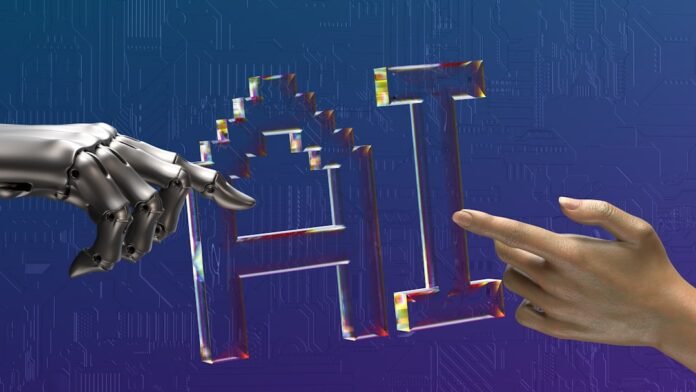
Natural Language Processing (NLP) enables computers to understand human language — powering chatbots, sentiment analysis, search engines, and AI assistants like ChatGPT. This beginner’s guide gets you started with NLP in Python in 2026.
What is NLP?
NLP is the branch of AI that deals with the interaction between computers and human language. It enables applications like sentiment analysis, machine translation, text summarization, question answering, and named entity recognition.
Setting Up
pip install nltk spacy transformers torch
python -m spacy download en_core_web_sm
Core NLP Tasks with Python
1. Text Cleaning and Preprocessing
import re
import string

text = "Hello! This is an EXAMPLE text with URLs: https://example.com and #hashtags."

# Lowercase
text = text.lower()

# Remove URLs
text = re.sub(r'http\S+|www\S+', '', text)

# Remove punctuation
text = text.translate(str.maketrans('', '', string.punctuation))

# Remove extra whitespace
text = ' '.join(text.split())

print(text)  # hello this is an example text with urls and hashtags
2. Tokenization and Stop Words
import nltk
from nltk.tokenize import word_tokenize
from nltk.corpus import stopwords
nltk.download('punkt')
nltk.download('stopwords')

text = "Data science is the field of studying large amounts of data"
tokens = word_tokenize(text)
stop_words = set(stopwords.words('english'))
filtered = [w for w in tokens if w.lower() not in stop_words]
print(filtered)  # ['Data', 'science', 'field', 'studying', 'large', 'amounts', 'data']
3. Named Entity Recognition (NER) with spaCy
import spacy
nlp = spacy.load('en_core_web_sm')

text = "Apple was founded by Steve Jobs in Cupertino, California in 1976."
doc = nlp(text)

for ent in doc.ents:
    print(f'{ent.text} -> {ent.label_}')
# Apple -> ORG
# Steve Jobs -> PERSON
# Cupertino -> GPE
# California -> GPE
# 1976 -> DATE
4. Sentiment Analysis
from transformers import pipeline

# Uses a pre-trained BERT model
sentiment = pipeline('sentiment-analysis')

results = sentiment([
    'This product is absolutely amazing!',
    'Terrible experience, would not recommend.',
    'It was okay, nothing special.'
])

for r in results:
    print(f"{r['label']}: {r['score']:.4f}")
# POSITIVE: 0.9998
# NEGATIVE: 0.9997
# POSITIVE: 0.5821
5. Text Vectorization (TF-IDF)
from sklearn.feature_extraction.text import TfidfVectorizer

documents = [
    'Python is great for data science',
    'Machine learning uses Python extensively',
    'Data science involves statistics and programming'
]

vectorizer = TfidfVectorizer(max_features=10)
X = vectorizer.fit_transform(documents)
print(vectorizer.get_feature_names_out())
print(X.toarray().round(3))
Word Embeddings with Word2Vec
from gensim.models import Word2Vec

sentences = [
    ['data', 'science', 'machine', 'learning'],
    ['python', 'programming', 'data', 'analysis'],
    ['neural', 'network', 'deep', 'learning']
]

model = Word2Vec(sentences, vector_size=100, window=5, min_count=1, workers=4)

# Find similar words
similar = model.wv.most_similar('data', topn=3)
print(similar)
FAQ
What is the best Python library for NLP in 2026?
For production NLP: Hugging Face Transformers (state-of-the-art models). For quick preprocessing: spaCy. For learning basics: NLTK. Most professionals use a combination of all three.
Do I need a GPU for NLP?
✦ SUMMARIZE THIS ARTICLE WITH AI
 ChatGPT
For basic tasks (tokenization, TF-IDF, simple sentiment): no GPU needed. For training or fine-tuning transformer models: a GPU (or Google Colab’s free GPU) is recommended.