

Programming often requires repeating a set of instructions until a condition is met. This concept, known as iteration, lies at the heart of automation and data processing. Python provides multiple ways to perform iteration, but few are as widely used and reliable as the for i in range python construct.
Iteration enables developers to process collections, execute repetitive tasks, and build scalable logic without redundancy. Understanding iteration is essential for writing clean, efficient, and maintainable Python programs.
Understanding the for i in range python Concept
The for i in range python loop is a structured way to repeat an operation a fixed number of times. Instead of manually incrementing counters or managing loop termination conditions, Python handles these internally through the range() function.
The loop assigns successive values from the range to the variable i, executing the loop body for each value. This makes the construct ideal for tasks such as indexing, counting, and sequential processing.
Why for i in python Is Essential for Developers
Python emphasizes readability and simplicity. The for i in python syntax aligns perfectly with these principles by providing a clear and concise looping mechanism. Developers rely on it because:
- It reduces boilerplate code
- It improves logical clarity
- It minimizes errors related to loop counters
- It integrates seamlessly with Python’s memory-efficient range object
In professional environments, this loop is frequently used in automation scripts, backend services, and analytical workflows.
How the range() Function Works Internally
The range() function generates a sequence of numbers but does not store them all in memory at once. Instead, it creates a range object that produces values on demand. This lazy evaluation approach makes for i in range python loops memory-efficient, even when iterating over large numerical ranges.
Internally, the range object maintains:
- A starting value
- An ending boundary
- A step increment
This design ensures optimal performance in both small scripts and large-scale applications.
Syntax Variations of for i in range python
The most common syntax follows a simple pattern:
for i in range(n):
# logic
However, Python allows multiple variations depending on the requirement. These variations make the for i in range python approach flexible for different iteration needs.
Using Start, Stop, and Step Parameters
The range() function accepts up to three parameters:
- Start: The initial value of the sequence
- Stop: The value at which iteration ends
- Step: The increment between values
Example:
for i in range(2, 20, 3):
print(i)
This pattern is commonly used in scenarios involving intervals, batching, or periodic sampling.
Practical Examples of for i in python
The for i in python loop is widely used in everyday programming tasks, including:
- Generating reports
- Validating user input
- Processing database records
- Iterating through indexed data structures
Example of summation logic:
total = 0
for i in range(1, 11):
total += i
Such examples demonstrate how iteration simplifies numerical operations.
Real-World Use Cases in Software Development
In real-world systems, for i in range python plays a key role in:
- Backend batch processing jobs
- Log file analysis
- Simulation models
- Automated testing frameworks
For example, load-testing scripts often rely on this loop to simulate repeated user actions under controlled conditions.
Common Mistakes and How to Avoid Them
Despite its simplicity, developers sometimes misuse the for i in range python loop. Common mistakes include:
- Off-by-one errors due to misunderstanding the stop value
- Using range where direct iteration over collections is more appropriate
- Modifying loop variables inside the loop
Avoiding these pitfalls improves code reliability and readability.
Performance Considerations and Best Practices
Python’s range() function is optimized for performance, but best practices still apply:
- Prefer range over manually incremented counters
- Use meaningful variable names instead of generic ones when possible
- Avoid unnecessary nested loops
These practices ensure that for i in python loops remain efficient and maintainable.
Comparison with Other Looping Techniques
Python supports multiple iteration techniques, including:
- While loops
- List comprehensions
- Iteration over iterables
Compared to these, for i in range python excels when the number of iterations is known in advance. It offers clarity and control without the overhead of managing loop conditions manually.
Advanced Patterns Using for i in range python
Advanced developers combine for i in range python with conditional logic and nested loops to build complex workflows. Examples include:
- Matrix traversal
- Pattern generation
- Multi-stage simulations
These patterns demonstrate the versatility of the construct beyond basic counting.
Applications in Data Science and Analytics
In data science, iteration is often required for:
- Feature engineering
- Model evaluation loops
- Time-series processing
The for i in python loop supports these tasks by enabling controlled iteration over datasets, experiments, and parameter ranges.
Debugging and Troubleshooting for i in range python Loops
When working with for i in range python, debugging becomes easier if you understand common loop behaviors. Many logical bugs arise not from syntax errors but from incorrect assumptions about how range() behaves.
Common troubleshooting scenarios include:
- Loop not running at all due to an incorrect stop value
- Unexpected number of iterations caused by misunderstanding exclusive upper bounds
- Infinite logic errors when range is replaced incorrectly with while loops
A good debugging practice is to print the value of i during development to ensure the loop behaves as expected.
Using for i in range python with Strings and Lists
Although for i in range python is numeric by nature, it is frequently used to work with strings and lists through indexing.
Example with a string:
text = "python"
for i in range(len(text)):
print(text[i])
This approach provides index-level control, which is helpful when positions matter, such as character replacement or pattern matching.
Nested for i in range python Loops Explained
Nested loops occur when one for i in range python loop is placed inside another. These are commonly used for grid-based logic, tables, and multidimensional data structures.
Typical applications include:
- Matrix operations
- Image pixel traversal
- Game board simulations
While powerful, nested loops should be used carefully due to their impact on time complexity.
Time Complexity Considerations
Understanding performance is crucial when using for i in range python extensively. A single loop typically runs in linear time relative to the range size, while nested loops can grow exponentially.
Best practices include:
- Reducing nested loops where possible
- Using Python built-in functions for aggregation
- Leveraging vectorized operations in data science libraries
These strategies help maintain scalable and efficient codebases.
for i in range python in Automation Scripts
Automation scripts frequently rely on for i in range python for repetitive system tasks such as:
- Batch file processing
- Scheduled report generation
- API request retries
The predictability of the loop ensures consistent execution across environments.
Comparison with Enumerate Function
In many scenarios, developers compare for i in range python with the enumerate() function. While range provides numeric control, enumerate offers cleaner syntax when iterating over collections with index-value pairs.
Choosing between them depends on whether index manipulation or readability is the primary goal.
Educational Importance for Beginners
For new learners, for i in python acts as a gateway concept to understanding loops, counters, and algorithmic thinking. It builds confidence and prepares learners for more advanced programming constructs.
Educational platforms and coding bootcamps often introduce this loop early due to its simplicity and power.
Using for i in range python in Competitive Programming
Competitive programming often demands efficient iteration and tight control over execution flow. The for i in range python loop is widely used to:
- Process multiple test cases
- Iterate over constraints safely
- Simulate iterative mathematical logic
Its predictable behavior and performance make it suitable for algorithmic challenges where accuracy and speed are critical.
Handling Reverse Iteration with for i in range python
Reverse iteration is a common requirement in real-world logic. Python allows this easily by using a negative step value.
Example:
for i in range(10, 0, -1):
print(i)
This approach is useful in countdowns, reverse traversals, and stack-based logic.
Python Version Differences and range() Evolution
In Python 2, range() returned a list, while xrange() provided lazy iteration. In Python 3, range() was redesigned to behave like xrange(), offering memory-efficient iteration by default. This change made for i in range python loops far more scalable and suitable for large datasets.
Modern Python developers benefit from:
- Constant memory usage regardless of range size
- Faster iteration compared to list-based loops
- Compatibility with slicing and membership checks
Understanding this evolution is helpful when maintaining legacy Python code.
Using break, continue, and pass Inside for i in range python
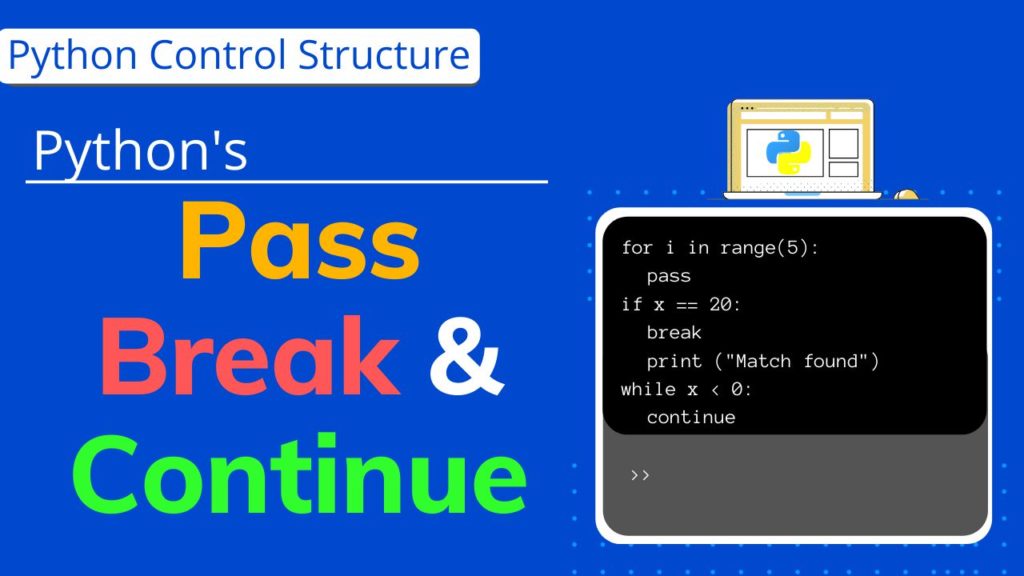
Control flow statements significantly enhance loop flexibility.
- break exits the loop immediately
- continue skips the current iteration
- pass acts as a placeholder for future logic
Example:
for i in range(10):
if i == 5:
break
if i % 2 == 0:
continue
print(i)
These constructs allow developers to build conditional iteration without complex logic restructuring.
The for–else Pattern in Python Loops
A lesser-known but powerful feature is the for–else construct. The else block executes only if the loop completes normally (without a break).
Example:
for i in range(5):
if i == 10:
break
else:
print("Loop completed successfully")
This pattern is commonly used in:
- Search algorithms
- Validation checks
- Authentication logic
It improves readability by eliminating flag variables.
Range Object Capabilities Beyond Iteration
The range() object supports more than looping. It allows:
- Indexing
(range(10)[2]) - Length calculation
(len(range(100))) - Membership testing
(5 in range(1, 10))
These features make range useful in algorithmic logic and boundary validation without converting it into a list.
Handling Very Large Numbers Efficiently
Python supports arbitrary-precision integers, meaning for i in range python can safely iterate over extremely large numbers without overflow errors. However, logic efficiency still matters.
Best practices include:
- Limiting unnecessary iterations
- Using mathematical formulas instead of loops when possible
- Breaking early when conditions are met
This is particularly important in data analytics and competitive programming.
range() vs NumPy arange() in Data Science
In analytics workflows, developers often compare range() with numpy.arange().
Key differences:
range()produces integers lazily and efficientlynumpy.arange()creates arrays optimized for numerical operationsrange()is better for control flownumpy.arange()is better for vectorized math
Choosing the correct tool improves both performance and clarity.
Iteration vs Vectorization Trade-offs
While for i in range python is powerful, vectorized operations using libraries like NumPy and Pandas are often faster for numerical workloads.
Guideline:
- Use
for i in rangepython for logic and control - Use vectorized operations for bulk data computation
Understanding this distinction is critical in production-grade data science systems.
Readability and Python Style Guidelines
According to PEP 8, loops should prioritize clarity:
- Avoid deeply nested
for i in range python loops - Use descriptive variable names instead of generic
iwhen context matters - Keep loop bodies short and focused
Readable loops reduce maintenance costs and improve collaboration.
Common Interview Trick Questions
Interviewers often test understanding of iteration boundaries.
Example:
for i in range(1, 5):
print(i)
Expected output:
1
2
3
4
Understanding that the stop value is exclusive is crucial for avoiding logic errors under pressure.
Combining range() with zip() and enumerate()
Advanced iteration often combines multiple tools.
Example with zip():
for i in range(len(a)):
print(a[i], b[i])
Better alternative:
for x, y in zip(a, b):
print(x, y)
This comparison reinforces when for i in range python is ideal and when higher-level constructs improve readability.
Memory Profiling and Optimization
Using range() instead of list-based loops dramatically reduces memory usage in large-scale systems. Profiling tools often show measurable improvements when developers replace list iteration with for i in range python.
This makes the construct valuable in:
- Cloud-based services
- Resource-constrained environments
- High-volume data pipelines
Interview-Oriented Examples
Technical interviews frequently include questions on iteration. Candidates are often asked to:
- Reverse sequences
- Generate patterns
- Compute aggregates
Mastery of for i in range python gives candidates an edge by enabling them to solve problems efficiently and clearly.
Conclusion
The for i in range python construct is more than a simple loop; it is a foundational tool that supports clean logic, efficient execution, and scalable design. From beginner scripts to enterprise-grade systems, this looping mechanism remains indispensable.By understanding how the range function works, applying best practices, and recognizing real-world use cases, developers can unlock the full potential of for i in python. Mastery of this concept strengthens problem-solving skills and lays a solid foundation for advanced Python programming.
FAQ’s
What function does a for loop commonly use for () range () loop () def()?
A for loop commonly uses the range() function to generate a sequence of numbers for iterating a specific number of times.
What are the different types of loops in Python?
Python has for loops for iterating over sequences and while loops for repeated execution based on a condition, with loop control statements like break, continue, and else.
What is the step value in the loop for i in range?
Python has for loops for iterating over sequences and while loops for repeated execution based on a condition, with loop control statements like break, continue, and else.
How to make a simple loop in Python?
You can create a simple loop using a for loop, for example:for i in range(5): print(i) which prints numbers from 0 to 4.
What’s the difference between ‘for’ and ‘while’?
✦ SUMMARIZE THIS ARTICLE WITH AI
 ChatGPT
A for loop iterates over a known sequence or range, while a while loop runs as long as a condition remains true, making it suitable when the number of iterations is unknown.