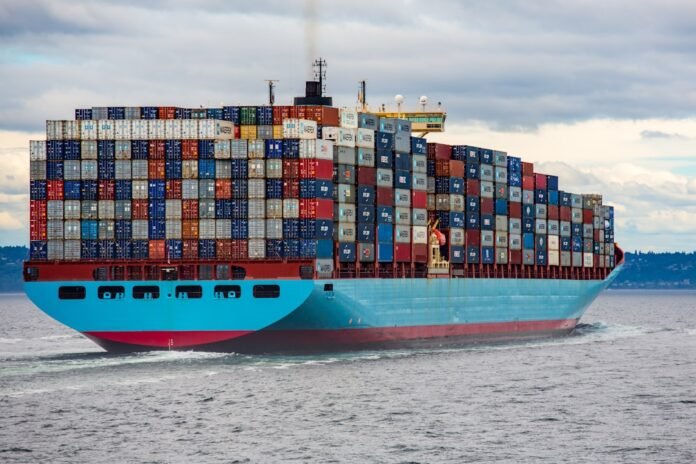
Docker solves one of the most frustrating problems in data science: “it works on my machine.” With Docker, you package your entire environment — Python version, libraries, dependencies, and code — into a container that runs identically on any machine, any server, any cloud platform. This makes your experiments reproducible, your models deployable, and your collaboration with engineers frictionless. If you’re serious about production data science, Docker is non-negotiable.
Core Concepts: Images, Containers, and Dockerfiles

An image is a static, read-only template — think of it as a blueprint. A container is a running instance of an image — it’s the live environment. A Dockerfile is the recipe you write to build an image. You write the Dockerfile once, build the image, and then run as many containers from it as you need.
Install Docker Desktop from docker.com, then verify it’s working:
docker --version       # Docker version 26.x.x
docker run hello-world  # Downloads and runs a test container
Key commands you’ll use daily:
docker build -t myimage:v1 .   # Build image from Dockerfile in current directory
docker run myimage:v1           # Run a container from the image
docker run -it myimage:v1 bash  # Run interactively with a bash shell
docker ps                       # List running containers
docker ps -a                    # List all containers (including stopped)
docker images                   # List local images
docker stop container_id        # Stop a running container
docker rm container_id          # Remove a stopped container
docker rmi image_name           # Remove an image
Writing a Dockerfile for a Data Science Project
Here’s a production-ready Dockerfile for a Python data science environment:
# Start from an official Python image (slim = smaller, fewer packages)
FROM python:3.11-slim

# Set working directory inside the container
WORKDIR /app

# Install system dependencies (needed for some Python packages)
RUN apt-get update && apt-get install -y --no-install-recommends     gcc     g++     && rm -rf /var/lib/apt/lists/*

# Copy and install Python dependencies FIRST (Docker caches this layer)
# Only re-runs if requirements.txt changes, not if your code changes
COPY requirements.txt .
RUN pip install --no-cache-dir -r requirements.txt

# Copy your project files
COPY . .

# Set environment variables
ENV PYTHONUNBUFFERED=1
ENV PYTHONDONTWRITEBYTECODE=1

# Command to run when the container starts
CMD ["python", "train.py"]
The order of instructions matters. Put frequently-changing things (your code) at the bottom and rarely-changing things (dependencies) near the top. Docker caches each layer — if a layer hasn’t changed, Docker reuses the cache, making builds dramatically faster.
Docker for Jupyter Notebooks and Experiments
Running Jupyter inside Docker is great for reproducible experiments. Map a port and mount your local directory so notebooks persist after the container stops:
# Run Jupyter Lab in Docker, accessible at http://localhost:8888
docker run -it --rm     -p 8888:8888     -v $(pwd):/app     -w /app     jupyter/scipy-notebook     jupyter lab --ip=0.0.0.0 --no-browser --allow-root
The -v $(pwd):/app flag mounts your current directory into the container, so any notebooks you create or modify are saved to your local machine. The --rm flag automatically removes the container when you stop it, keeping your system clean.
Deploying an ML Model with Docker
The real payoff of Docker for data scientists is model deployment. Package your trained model and a Flask API into a container, and any engineer can deploy it without worrying about your Python environment:
# Dockerfile for a Flask ML API
FROM python:3.11-slim
WORKDIR /app
COPY requirements.txt .
RUN pip install --no-cache-dir flask scikit-learn joblib pandas
COPY model.pkl .
COPY app.py .
EXPOSE 5000
CMD ["python", "app.py"]
# app.py — simple ML serving API
from flask import Flask, request, jsonify
import joblib
import pandas as pd

app = Flask(__name__)
model = joblib.load('model.pkl')

@app.route('/predict', methods=['POST'])
def predict():
    data = request.json
    df = pd.DataFrame([data])
    prediction = model.predict(df)[0]
    probability = model.predict_proba(df)[0].max()
    return jsonify({'prediction': int(prediction), 'confidence': float(probability)})

if __name__ == '__main__':
    app.run(host='0.0.0.0', port=5000)
docker build -t ml-api:v1 .
docker run -p 5000:5000 ml-api:v1
# Your API is now at http://localhost:5000/predict
Frequently Asked Questions
What’s the difference between Docker and a virtual environment (venv/conda)?
A virtual environment only isolates Python packages. Docker isolates the entire system — Python version, OS libraries, system tools, everything. A venv is fine for local development; Docker is what you need for deployment and true reproducibility across different machines.
Should I use Docker Compose?
Yes, once you have multiple services (a model server, a database, a web UI). Docker Compose lets you define and run multi-container applications with a single docker-compose.yml file. Run everything with docker compose up.
✦ SUMMARIZE THIS ARTICLE WITH AI
 ChatGPT
How do I use GPUs inside Docker?
Use the NVIDIA Container Toolkit (nvidia-docker) and specify --gpus all when running the container. Use base images from nvidia/cuda rather than plain Python images. This works for training on cloud VMs with NVIDIA GPUs.