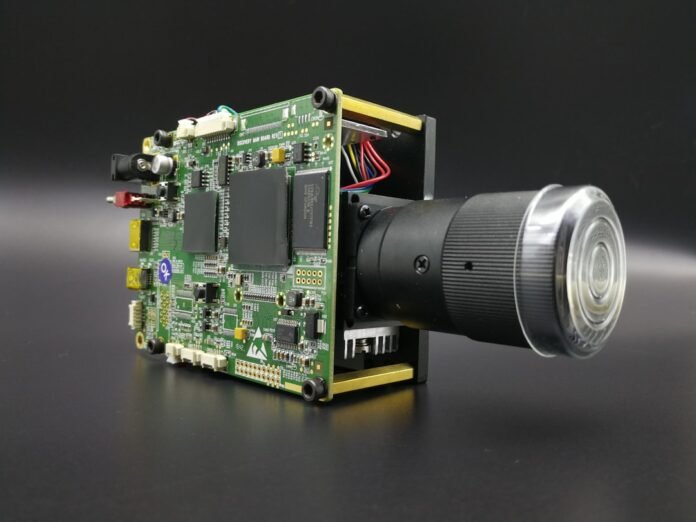
Computer vision enables machines to interpret and understand visual information from the world. From detecting defects on a production line to powering autonomous vehicles, it is one of the fastest-growing fields in AI. This guide covers image processing fundamentals with OpenCV through deep learning-based object detection — all with working Python code.
OpenCV Basics
pip install opencv-python-headless numpy matplotlib pillow

import cv2
import numpy as np
import matplotlib.pyplot as plt

# Load and display an image
img = cv2.imread('photo.jpg')             # BGR format (OpenCV default)
img_rgb = cv2.cvtColor(img, cv2.COLOR_BGR2RGB)  # convert to RGB

plt.figure(figsize=(10, 6))
plt.imshow(img_rgb)
plt.axis('off')
plt.title('Original Image')
plt.show()

print(f'Shape: {img.shape}')   # (height, width, channels)
print(f'Dtype: {img.dtype}')   # uint8

# Resize
resized = cv2.resize(img, (640, 480))

# Colour space conversions
gray = cv2.cvtColor(img, cv2.COLOR_BGR2GRAY)
hsv  = cv2.cvtColor(img, cv2.COLOR_BGR2HSV)

# Save
cv2.imwrite('output.jpg', resized)
Image Processing Operations

# Gaussian blur — noise reduction
blurred = cv2.GaussianBlur(img, (15, 15), 0)

# Edge detection with Canny
edges = cv2.Canny(gray, threshold1=50, threshold2=150)

# Thresholding
_, binary = cv2.threshold(gray, 127, 255, cv2.THRESH_BINARY)
adaptive   = cv2.adaptiveThreshold(gray, 255,
                cv2.ADAPTIVE_THRESH_GAUSSIAN_C,
                cv2.THRESH_BINARY, 11, 2)

# Morphological operations — clean up binary masks
kernel  = np.ones((5, 5), np.uint8)
dilated = cv2.dilate(binary, kernel, iterations=1)
eroded  = cv2.erode(binary, kernel, iterations=1)
opened  = cv2.morphologyEx(binary, cv2.MORPH_OPEN, kernel)

# Histogram equalisation — improve contrast
equalised = cv2.equalizeHist(gray)

# Contour detection
contours, hierarchy = cv2.findContours(
    binary, cv2.RETR_EXTERNAL, cv2.CHAIN_APPROX_SIMPLE)

# Draw bounding boxes around contours
img_contours = img.copy()
for cnt in contours:
    area = cv2.contourArea(cnt)
    if area > 500:   # filter small noise
        x, y, w, h = cv2.boundingRect(cnt)
        cv2.rectangle(img_contours, (x, y), (x+w, y+h), (0, 255, 0), 2)
Feature Detection and Matching
# SIFT feature detection
sift = cv2.SIFT_create()
kp, descriptors = sift.detectAndCompute(gray, None)

# Draw keypoints
img_kp = cv2.drawKeypoints(img, kp, None,
             flags=cv2.DRAW_MATCHES_FLAGS_DRAW_RICH_KEYPOINTS)

# ORB (faster, patent-free alternative to SIFT)
orb = cv2.ORB_create(nfeatures=500)
kp, desc = orb.detectAndCompute(gray, None)

# Match features between two images
img1 = cv2.imread('query.jpg',    cv2.IMREAD_GRAYSCALE)
img2 = cv2.imread('template.jpg', cv2.IMREAD_GRAYSCALE)

orb  = cv2.ORB_create()
kp1, d1 = orb.detectAndCompute(img1, None)
kp2, d2 = orb.detectAndCompute(img2, None)

bf      = cv2.BFMatcher(cv2.NORM_HAMMING, crossCheck=True)
matches = sorted(bf.match(d1, d2), key=lambda x: x.distance)

matched_img = cv2.drawMatches(img1, kp1, img2, kp2,
                               matches[:30], None,
                               flags=cv2.DrawMatchesFlags_NOT_DRAW_SINGLE_POINTS)
Object Detection with YOLO
pip install ultralytics

from ultralytics import YOLO
import cv2

# Load pretrained YOLOv8 model
model = YOLO('yolov8n.pt')   # n=nano, s=small, m=medium, l=large, x=xlarge

# Run inference on an image
results = model('photo.jpg', conf=0.5, iou=0.45)

# Process results
for r in results:
    boxes  = r.boxes
    for box in boxes:
        x1, y1, x2, y2 = map(int, box.xyxy[0])
        conf  = float(box.conf[0])
        cls   = int(box.cls[0])
        label = f'{model.names[cls]} {conf:.2f}'
        print(f'{label}: ({x1},{y1}) to ({x2},{y2})')

# Save annotated image
results[0].save('detected.jpg')

# Real-time webcam detection
cap = cv2.VideoCapture(0)
while True:
    ret, frame = cap.read()
    if not ret: break
    results    = model(frame, verbose=False)
    annotated  = results[0].plot()
    cv2.imshow('YOLOv8 Detection', annotated)
    if cv2.waitKey(1) & 0xFF == ord('q'):
        break
cap.release()
cv2.destroyAllWindows()
Image Classification with Transfer Learning
import torch
import torchvision.transforms as transforms
import torchvision.models as models
from PIL import Image

# Load pretrained EfficientNet
model = models.efficientnet_b0(weights='IMAGENET1K_V1')
model.eval()

# ImageNet preprocessing
preprocess = transforms.Compose([
    transforms.Resize(256),
    transforms.CenterCrop(224),
    transforms.ToTensor(),
    transforms.Normalize(mean=[0.485, 0.456, 0.406],
                         std=[0.229, 0.224, 0.225]),
])

img    = Image.open('cat.jpg').convert('RGB')
tensor = preprocess(img).unsqueeze(0)

with torch.no_grad():
    logits = model(tensor)
    probs  = torch.softmax(logits, dim=1)

# Load ImageNet labels
import urllib
url = 'https://raw.githubusercontent.com/pytorch/hub/master/imagenet_classes.txt'
classes = urllib.request.urlopen(url).read().decode('utf-8').splitlines()

top5_prob, top5_idx = probs.topk(5)
for prob, idx in zip(top5_prob[0], top5_idx[0]):
    print(f'{classes[idx]:30s} {prob.item():.4f}')
Conclusion
Computer vision in 2026 operates at two speeds: classical OpenCV for preprocessing, filtering, and feature extraction — fast, interpretable, and reliable; and deep learning (YOLO, EfficientNet, Vision Transformers) for recognition and detection tasks that require understanding semantics. Start with OpenCV for any pipeline that needs image manipulation, and reach for pretrained deep learning models when classification or detection accuracy matters more than speed. Together they cover the full spectrum of computer vision applications.