Data doesn’t wait. Every second, enterprises generate thousands of records across CRMs, ERPs, IoT devices, and cloud applications — and most of it sits siloed, disconnected, and frustratingly out of reach. That fragmentation isn’t just inconvenient; it’s a competitive liability.
Azure Data Factory (ADF) is Microsoft’s cloud-based data integration service designed to solve exactly this problem. Think of it as the connective tissue of a modern data platform — the engine that pulls raw, scattered data from dozens of sources, moves it where it needs to go, and transforms it into something analytics teams can actually use.
Traditional ETL (Extract, Transform, Load) workflows required heavyweight on-premises infrastructure and rigid pipelines. Modern enterprises have shifted toward ELT (Extract, Load, Transform) approaches, where raw data lands in cloud storage first and transformation happens at scale downstream. According to cloud-based ETL growth trends, adoption of cloud ETL solutions has surged dramatically as organizations prioritize agility over legacy architecture.
ADF sits at the heart of Azure’s data engineering ecosystem — orchestrating movement, automating workflows, and bridging on-premises systems with cloud-native services seamlessly.
What exactly makes it “serverless” — and why does that matter for data teams? That’s where the real story begins.
What is ADF? Understanding the Serverless ETL Engine
At its core, Azure Data Factory (ADF) is Microsoft’s cloud-native, serverless Azure ETL tool built to orchestrate and automate data movement at scale. But what does “serverless” actually mean in practice? Simply put, there’s no infrastructure to provision, patch, or maintain. Microsoft handles the underlying compute resources, so data engineers can focus entirely on building workflows rather than managing servers.
The primary goal of ADF is to create data-driven pipelines—logical workflows that orchestrate how, when, and where data moves between sources and destinations. Think of it as a conductor coordinating a complex orchestra: each instrument plays its part at precisely the right moment.
Data Movement vs. Data Transformation
It’s worth drawing a clear distinction here. Data movement refers to copying raw data from a source to a destination—say, pulling records from an on-premises SQL Server into Azure Blob Storage. Data transformation, on the other hand, reshapes or enriches that data—aggregating sales figures, normalizing formats, or applying business logic. ADF handles both, though complex transformations typically leverage integrated compute services like Azure Databricks or HDInsight.
Bridging On-Premises and Cloud
One of ADF’s most valuable roles is enabling hybrid cloud environments. According to Data Engineering with Azure: Modern Steps, organizations increasingly need seamless pipelines that span legacy on-premises systems and modern cloud platforms simultaneously. ADF bridges that gap without forcing a rip-and-replace migration strategy.
A well-designed ADF pipeline eliminates the friction between where data lives today and where it needs to go tomorrow. Understanding what ADF does at a high level naturally raises the next question: what are the specific building blocks that make these pipelines work?
The Anatomy of ADF: Core Components Explained
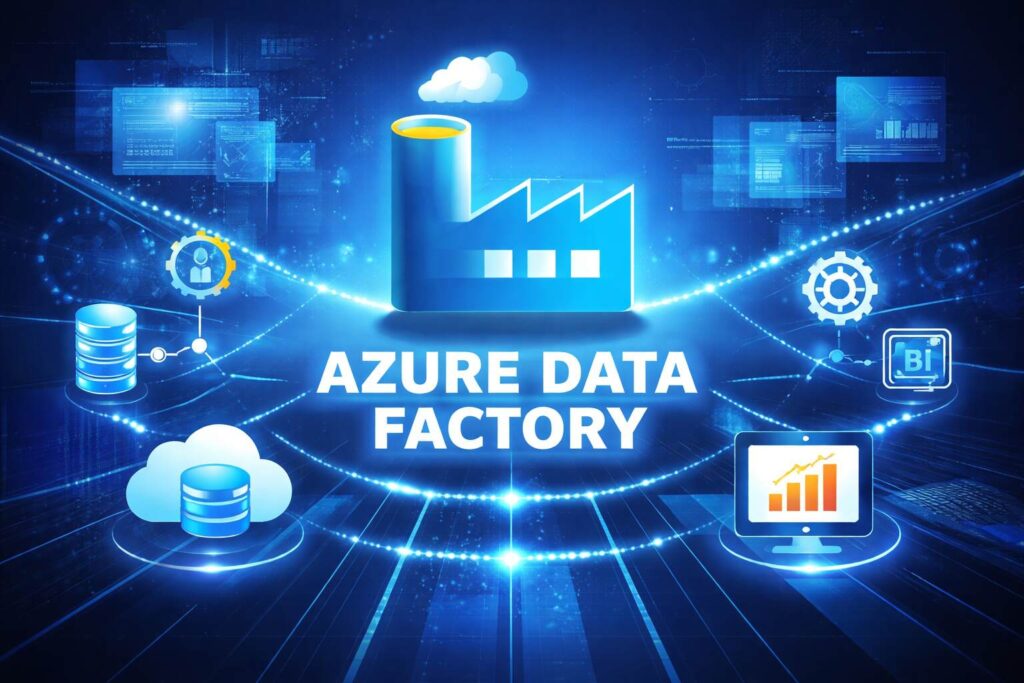
Understanding the Azure Data Factory features and benefits starts with getting familiar with its building blocks. ADF isn’t a single monolithic tool — it’s a carefully layered architecture where each component plays a distinct role. Together, they create a flexible, enterprise-grade data orchestration engine.
Pipelines and Activities
A pipeline is the logical container that groups a sequence of related tasks into one manageable workflow. Think of it as a project plan — it defines what needs to happen and in what order. Inside each pipeline, activities are the individual steps that do the actual work.
ADF supports three broad categories of activities:
- Data movement — the Copy Activity, which transfers data between supported stores
- Data transformation — activities like Hive, Spark, and stored procedure execution
- Control flow — logic operations such as Lookup, ForEach, and conditional branching
This separation of orchestration from execution gives data engineers granular control without sacrificing speed.
Datasets and Linked Services
A dataset represents a named view of the data structure inside a source or destination store — it points to the specific table, file, or folder ADF should interact with. Datasets don’t move data on their own; they simply define what the data looks like.
Linked Services are the credentials and connection strings that tell ADF where to connect. Every dataset relies on a Linked Service to establish that handshake with an external system, whether that’s an on-premises SQL Server or a cloud-based storage account.
Triggers and Integration Runtimes
Triggers determine when a pipeline runs — on a schedule, in response to an event, or as part of a tumbling window for time-series processing.
The Integration Runtime (IR) is the compute backbone that actually executes the work. ADF offers three IR types: Azure IR for cloud-to-cloud workloads, Self-hosted IR for on-premises connectivity, and Azure-SSIS IR for legacy SSIS package execution.
Each component exists for a reason — and mastering how they interact is what separates functional pipelines from truly optimized ones. Once this foundation is clear, it’s worth exploring the standout capabilities that have made ADF a preferred choice for modern data teams — which is exactly where we’re headed next.
5 Key Features That Make ADF a Market Leader
Now that you understand the individual Azure Data Factory components and how they fit together, the natural next question is: what actually makes ADF stand out? Several capabilities consistently push it ahead of competing approaches — here are the five that matter most.
1. No-Code/Low-Code Visual Interface
ADF’s drag-and-drop pipeline designer removes the barrier between business logic and execution. Data engineers and analysts alike can build complex workflows without writing a single line of code. That said, it also supports custom code for teams that need deeper control — making it genuinely flexible rather than just simplified.
2. 90+ Built-In Connectors
Massive connectivity is non-negotiable in modern data stacks. ADF ships with over 90 native connectors spanning databases, SaaS platforms, cloud storage, and on-premise systems. Whether you’re pulling from SAP, Salesforce, or a legacy SQL server, there’s likely a connector ready to go — no custom integration work required.
3. Autonomous ETL With Smart Scheduling
ADF handles scheduling, retries, dependency chains, and alerting automatically. Pipelines can be triggered by time, events, or upstream pipeline completion. In practice, this dramatically reduces manual intervention and the operational overhead that bogs down data teams.
4. Petabyte-Scale Data Movement
Scalability isn’t just a feature — it’s foundational. According to cloud-based ETL research, data volumes are growing faster than most organizations can manage manually. ADF scales compute elastically to handle petabyte-level workloads without infrastructure planning.
5. Enterprise Security Built In
ADF integrates natively with Azure Key Vault for credential management and supports Managed Identities to eliminate hardcoded secrets entirely. Role-based access control adds another layer of governance — critical for organizations operating under strict compliance frameworks.
These capabilities don’t exist in isolation; they translate directly into measurable business outcomes — which is exactly what the next section breaks down.
The Business Case: 5 Benefits of Azure Data Factory
With a clear picture of ADF’s standout features, it’s worth examining what those capabilities translate to in real business terms — especially for enterprises navigating rapid digital transformation. Whether you’re offering an ADF introduction for beginners or pitching to a CFO, these five benefits make the case compelling.
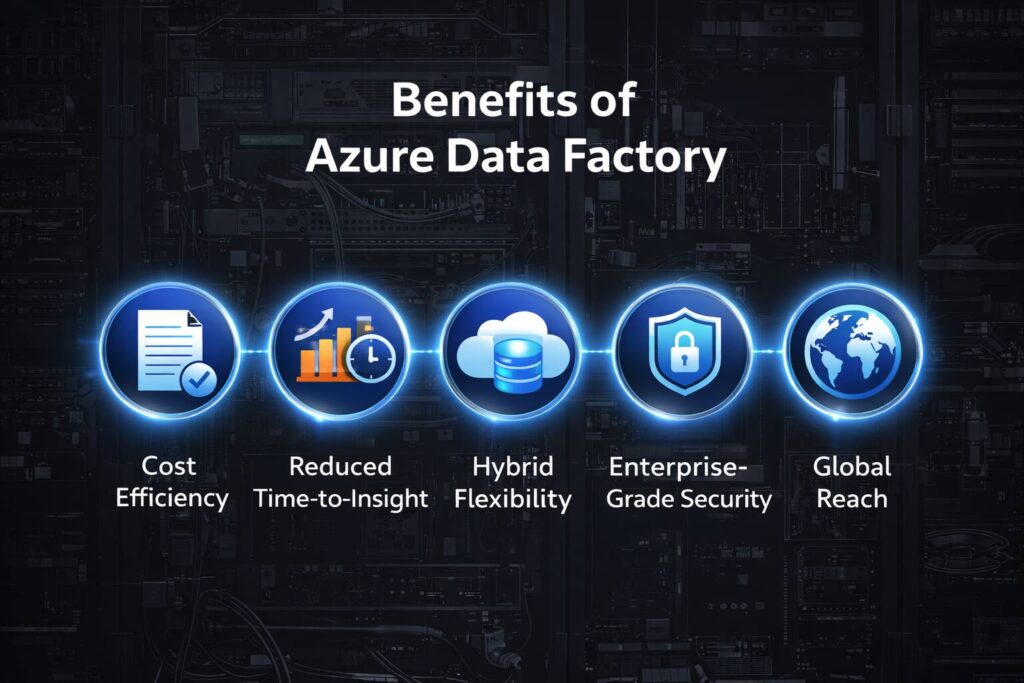
1. Cost Efficiency: ADF operates on a consumption-based pricing model, meaning organizations pay only for what they use — no upfront licensing fees, no idle infrastructure costs. For budget-conscious teams, this is a significant advantage over traditional on-premises ETL setups.
2. Reduced Time-to-Insight: Pre-built connectors and visual pipeline design dramatically shorten deployment timelines. What previously took weeks of custom development can be operational in days, accelerating the path from raw data to actionable decisions.
3. Hybrid Flexibility: Enterprises often maintain legacy on-premises data centers alongside cloud infrastructure. ADF’s Self-Hosted Integration Runtime bridges this gap seamlessly, enabling secure data movement between local systems and global Azure regions without architectural compromise.
4. Enterprise-Grade Security: ADF supports role-based access control, managed identities, and encryption at rest and in transit — critical for meeting any organization’s evolving data compliance landscape, including sector-specific regulations in banking and healthcare.
5. Global Reach: With Azure’s expanding regional footprint, organizations can deploy pipelines across multiple regions while keeping data residency requirements intact.
Robust data pipelines don’t just move information — they create competitive advantage at every layer of the business.
These benefits aren’t theoretical. The next section explores exactly how organizations across industries are putting them into practice.
Real-World Use Cases: ADF in Action
The business benefits covered above aren’t theoretical — they play out daily across industries. Azure Data Engineering projects are increasingly turning to ADF to solve concrete, high-stakes problems. Here’s what that looks like in practice.
Legacy Database Migration to Azure Synapse
A common pattern is lifting on-premises SQL databases into Azure Synapse Analytics using ADF pipelines. What typically takes months of manual scripting gets reduced to structured, repeatable migration workflows — with built-in monitoring and rollback capability.Centric Consulting notes that this combination significantly modernizes data warehousing without disrupting existing operations.
Marketing Data Consolidation
Retail and e-commerce teams regularly pull data from SaaS platforms — think CRM systems and paid advertising dashboards — into a unified analytics layer. ADF’s linked services handle multi-source ingestion seamlessly, enabling faster campaign decisions.
Automated Financial Reporting
Retail chains automate daily P&L reporting by scheduling ADF pipelines overnight, ensuring finance teams arrive to fresh, validated dashboards every morning.
Big Data Orchestration with Databricks
ADF also acts as the orchestration layer for Azure Databricks, triggering complex Spark jobs at scale — a workflow central to machine learning and advanced analytics pipelines.
These use cases barely scratch the surface of what’s possible, which naturally raises an important question: who’s building these pipelines, and what does demand look like for skilled professionals?
The Career Frontier: Explore ADF Opportunities Worldwide
The career frontier for Azure Data Factory (ADF) is expanding rapidly as organizations worldwide shift toward data-driven decision-making. ADF, a powerful cloud-based data integration tool by Microsoft, enables seamless data movement, transformation, and orchestration across diverse systems. This growing reliance on data pipelines has created strong global demand for professionals skilled in ADF.
From North America to Europe, the Middle East, and Asia-Pacific, companies are actively hiring ADF developers, data engineers, and cloud architects. Industries such as finance, healthcare, e-commerce, and logistics are especially investing in ADF to modernize their data infrastructure. As businesses migrate to cloud ecosystems, expertise in ADF combined with platforms like Azure Synapse or Power BI significantly enhances career prospects.
Professionals entering this field can expect competitive salaries, remote work opportunities, and exposure to cutting-edge technologies like AI and big data. Certifications from Microsoft further boost credibility and global employability.
In essence, ADF is not just a technical skill—it’s a gateway to a thriving international career. For those looking to future-proof their profession, mastering Azure Data Factory opens doors to dynamic roles and long-term growth in the evolving data landscape.
Conclusion
Azure Data Factory brings together data movement, transformation, and control flow into one powerful platform. With features like Copy Activity, Spark-based transformations, and logic-driven workflows, it simplifies complex data operations. As a core part of Microsoft’s Azure ecosystem, ADF enables seamless integration across multiple data sources. A well-structured pipeline reduces operational friction, ensuring data flows efficiently from its source to its destination. Ultimately, mastering ADF empowers organizations to streamline processes, improve decision-making, and stay competitive in a data-driven world while giving professionals a strong edge in modern data engineering careers.
FAQ’s
Is Azure Data Factory an ETL tool?
Yes, Azure Data Factory is primarily an ETL (Extract, Transform, Load) and ELT tool. It allows users to extract data from multiple sources, transform it using built-in or external compute services like Spark, and load it into destinations such as data warehouses or data lakes. Its flexibility also supports modern ELT patterns where transformation happens after loading.
Is ADF difficult to learn?
Azure Data Factory is relatively easy to learn, especially for beginners with basic knowledge of data concepts. Its low-code interface, drag-and-drop pipelines, and pre-built connectors simplify development. However, mastering advanced features like complex workflows, parameterization, and integration with other Azure services may require some hands-on experience.
What are the 5 pillars of Azure?
The five pillars of Azure architecture (based on the Microsoft Azure Well-Architected Framework) are: Reliability, Security, Cost Optimization, Operational Excellence, and Performance Efficiency. These pillars help organizations build scalable, secure, and high-performing cloud solutions.
What are the benefits of using Azure Data Factory?
Benefits include cost-efficiency (pay-as-you-go), scalability, automation of complex workflows, improved data reliability, and faster decision-making. It also reduces manual effort by enabling low-code or no-code data integration.


