

Python is a versatile programming language offering a range of data structures to suit different needs. Two of the most powerful and commonly used structures are sets and dictionaries. These unordered collections allow for efficient data manipulation and are foundational for many Python applications.
This guide dives deep into the concepts, functionalities, differences, and real-world uses of Python set and dictionary, offering a complete overview for beginners and advanced users alike.
In programming, choosing the right data structure can optimize performance and readability. Python provides both sets and dictionaries as built-in unordered data types.
- A set is a collection of unique, immutable elements.
- A dictionary is a key-value store used to map data efficiently.
Both are incredibly useful for data lookup, filtering, and efficient computation.
What is a Python Set?
A Python set is an unordered collection of unique, immutable elements used for fast membership testing and duplicate removal.
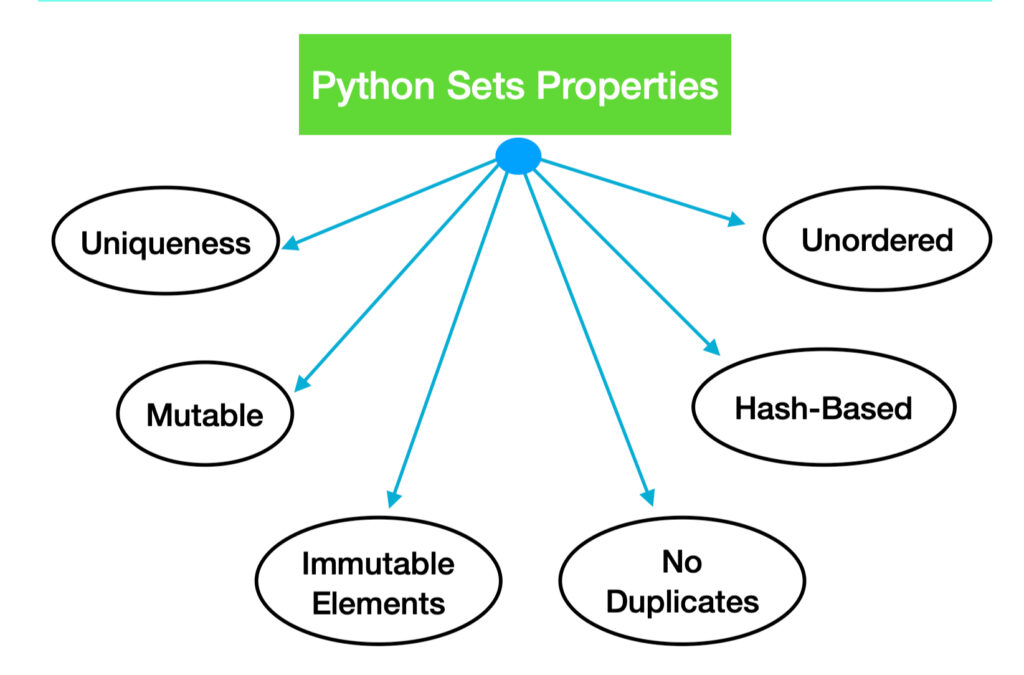
A Python set is an unordered collection of unique items. Unlike lists or tuples, sets do not allow duplicate entries. They are highly optimized for checking membership and eliminating duplicate data.
Characteristics:
- Unordered
- No duplicate elements
- Mutable (can be changed)
- Elements must be immutable
Creating a Set in Python
Sets can be created using curly braces {} or the set() constructor, with only immutable elements allowed.
# Using curly braces
fruits = {"apple", "banana", "cherry"}
# Using set constructor
numbers = set([1, 2, 3, 4])
To create an empty set:
empty_set = set()
Using {} creates an empty dictionary instead.
Set Operations and Methods
Python sets support various mathematical operations like union, intersection, and difference, enabling efficient data comparison and filtering.
- Union: Combines elements from two sets
set1 | set2 or set1.union(set2) - Intersection: Returns common elements
set1 & set2 or set1.intersection(set2) - Difference: Elements in one set but not in the other
set1 - set2 or set1.difference(set2) - Symmetric Difference: Elements in either set, but not both
set1 ^ set2 or set1.symmetric_difference(set2)
Subset and Superset Checksset1.issubset(set2)
set1.issuperset(set2)
Other Methods:
add()remove()discard()pop()clear()
Real-Life Use Cases of Python Sets
Sets are ideal for removing duplicates, testing membership, and filtering large datasets quickly.
Removing Duplicates:names = ["John", "Jane", "John"]
unique_names = list(set(names))
Membership Testing:if "apple" in fruits:
print("Yes")
Efficient Filtering:banned_users = {"bot1", "bot2"}
active_users = [u for u in all_users if u not in banned_users]
What is a Python Dictionary?
A dictionary in Python is a mutable, unordered collection of key-value pairs for fast lookups and efficient mapping. Each key must be unique and immutable, and each value can be of any type.
Syntax:
student = {"name": "Alice", "age": 22, "courses": ["Math", "CS"]}
Characteristics:
- Keys are unique
- Values can be duplicates
- Mutable
- Fast lookups
Creating a Dictionary in Python
Dictionaries can be created using curly braces or the dict() constructor, with unique keys and flexible value types.
# Using literal
person = {"name": "Bob", "city": "NYC"}
# Using dict()
data = dict(name="Bob", city="NYC")
Adding elements:
data["age"] = 30
Dictionary Operations and Methods
Python dictionaries offer efficient value access, updates, deletions, and built-in methods like keys(), items(), and get().
- Accessing Values:
person["name"] - Updating Values:
person["age"] = 31 - Removing Elements:
person.pop("age")
Iteration:for key, value in person.items():
print(key, value)
Other Useful Methods:
keys()values()items()update()clear()
Real-Life Use Cases of Python Dictionaries
Dictionaries are widely used for storing user profiles, counting elements, and managing application configurations.
- User Profile Management
user = {"username": "admin", "permissions": ["read", "write"]}
Counting Frequency
from collections import Counter
count = Counter(["apple", "apple", "banana"])
- Configuration Storage
config = {"theme": "dark", "language": "en"}
Comparing Set and Dictionary in Python
Sets store unique items, while dictionaries map unique keys to values—both optimized for fast access and lookup.
| Feature | Set | Dictionary |
| Data Structure | Collection of unique items | Key-Value pair |
| Mutability | Mutable | Mutable |
| Syntax | {} or set() | {} or dict() |
| Duplicate Elements | Not Allowed | Keys must be unique |
| Use Case | Membership test, removing duplicates | Fast lookups, data mapping |
Python Set and Dictionary Best Practices
Follow clean coding practices like using immutable keys, dictionary comprehensions, and avoiding modifications during iteration.
- Always use immutable keys in dictionaries.
- Avoid modifying a set or dictionary while iterating.
- Use dictionary comprehensions for clean code.
- Use
setdefault()andget()to avoid key errors in dicts.
Common Errors and How to Handle Them
Common issues include KeyError, TypeError, and using unhashable types, which can be avoided with proper checks.
- TypeError: When using mutable items in sets or as dict keys.
- KeyError: Accessing non-existent keys without using
.get(). - Unhashable Type: Attempting to use lists or dicts in sets.
Security and Performance Considerations
Backed by hash tables, sets and dictionaries offer O(1) lookup time but require careful memory and key management.
- Python sets and dictionaries are backed by hash tables, offering average O(1) time complexity for insert and lookup.
- Secure usage includes avoiding sensitive keys in shared environments.
- Avoid giant dictionaries in memory-constrained systems.
Integrating Sets and Dictionaries with Other Python Structures
Sets and dictionaries seamlessly integrate with lists, tuples, and comprehensions for more efficient and readable code.
- Use sets with list comprehensions:
filtered = [x for x in data if x not in banned] - Nesting dictionaries:
user = {"profile": {"name": "Alice"}, "settings": {"theme": "light"}}
Dictionary from lists:pairs = [("a", 1), ("b", 2)]
dict(pairs)
Conclusion
Python sets and dictionaries are crucial tools for any programmer. Sets allow for efficient membership testing and duplicate removal, while dictionaries offer powerful key-value mapping for data storage and access.
By mastering both, you can write faster, cleaner, and more Pythonic code. Use them wisely in your next project to handle data more effectively.